
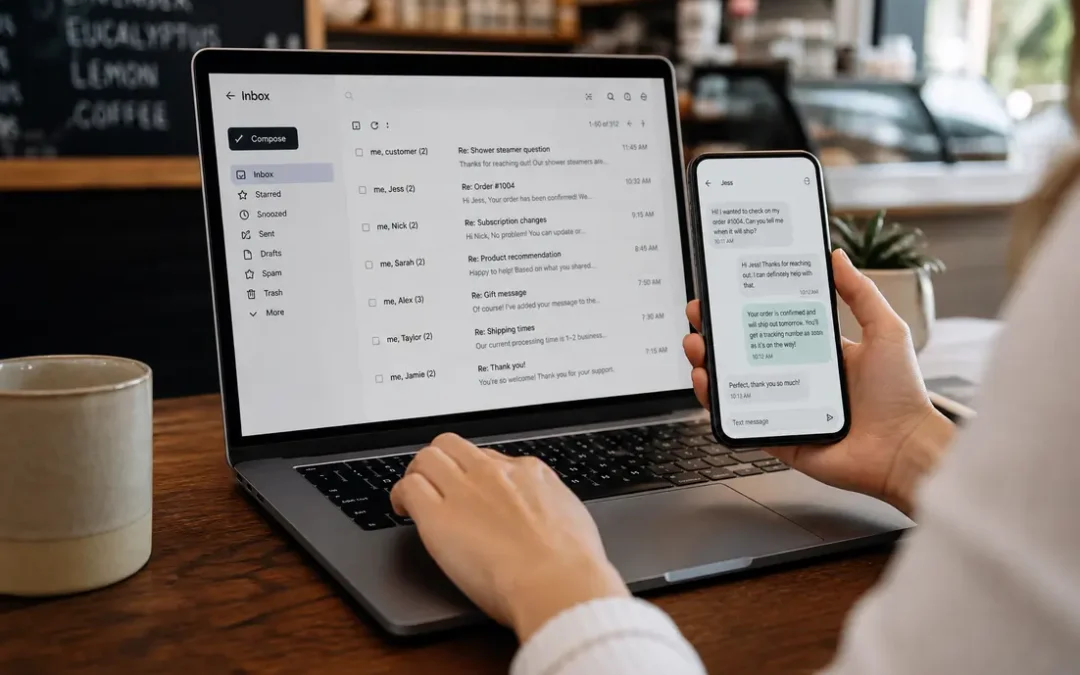
Slow replies cost more than frustration — they cost customers. This guide shows e-commerce businesses, restaurants, and service providers how to deliver faster customer responses, reduce missed sales opportunities, and create a reliable system that scales.
Why response speed matters
Quick replies build trust, resolve objections, and keep buying momentum. When potential customers hit a roadblock — a question about shipping, availability, a menu item, or a service detail — a fast, helpful reply often turns that hesitation into a sale.
Beyond conversions, faster response times improve customer lifetime value and encourage positive reviews and referrals. For small teams or single-location restaurants, smart processes can produce big gains without adding full-time staff.
Core strategies to speed up customer responses
1. Centralize incoming messages
Route all customer channels (email, chat, social DMs, SMS, and phone callbacks) into a single dashboard or inbox. Centralization prevents missed messages and gives one place to assign ownership and track response times.
2. Use immediate acknowledgements
When human replies aren’t possible right away, send an automated acknowledgement that sets expectations. A brief confirmation like “Thanks — we’ve received your question and will reply within X minutes/hours” reassures the customer and reduces follow-ups.
3. Prepare quick-response templates
Create short, customizable templates for common questions: shipping, returns, menu substitutions, booking availability, pricing, and service areas. Keep templates polite, specific, and ready to personalize — they should speed response without sounding robotic.
4. Prioritize by intent
Not all messages are equal. Triage incoming messages by intent and urgency: sales opportunities, order issues, reservations, and general inquiries. Prioritize replies that directly affect conversion or operations, like an order question or a reservation time change.
5. Automate routine tasks
Use chatbots or autoresponders for repetitive queries such as hours, menu links, tracking numbers, or basic product availability. Configure bots to escalate to a human when the customer expresses purchase intent or uses complex language.
6. Integrate order & booking data with support
Link your CRM, POS, or order platform to your messaging system so agents can answer order-specific questions faster. Seeing order status or reservation details in the support view eliminates back-and-forth and shortens resolution time.
What faster responses look like by business type
E-commerce stores
- Set up live chat with a first-response template and fast escalation to email for detailed help.
- Use order-tracking automations to proactively notify customers about delays before they ask.
- Train agents to identify purchase-intent language and respond with conversion-focused answers — e.g., stock levels, shipping cutoffs, or safe alternatives.
Restaurants
- Offer quick replies for common asks: daily specials, dietary accommodations, reservation availability, and curbside pickup times.
- Use SMS or messaging apps for time-sensitive confirmations and waitlist updates.
- Create a short menu or FAQ template that servers or hosts can send immediately to reduce on-hold frustration.
Service providers (salons, contractors, consultants)
- Implement appointment confirmations and automated reminders to reduce no-shows and last-minute questions.
- Use intake forms that collect essential details before conversations, so replies are informed and faster.
- Enable calendar booking links in replies so customers can act immediately when a slot is available.
Practical checklist to implement this week
- Audit where customers contact you and note average reply times for each channel.
- Create 6–8 short templates for frequent questions and save them in your inbox tool.
- Set up an automated acknowledgement for each channel that gives an expected reply timeframe.
- Test a simple bot or autoresponder for one routine question (hours, tracking, or menu link).
- Train staff on triage rules and where to escalate urgent inquiries.
Measuring success
Track simple metrics: average first response time, percentage of messages replied to within your target window (for example, 15–60 minutes), and conversion rates on inquiries that led to purchases or bookings. Review these weekly and adjust staffing, templates, or automations where bottlenecks appear.
Common pitfalls and how to avoid them
- Over-automation: Bots should handle routine tasks but escalate when a human touch is needed. Always offer an easy path to a live agent.
- Poorly written templates: Avoid generic, unhelpful replies. Keep templates concise and personalize before sending.
- No ownership: Assign clear responsibility for the inbox during shifts so messages don’t fall through the cracks.
Where to add internal links
On your site, add clear internal links from support replies to pages like your Contact page, Order Tracking, FAQ, Menu, or Booking page so customers can get answers immediately without waiting for a response.
FAQs
How fast should I respond to customer messages?
Aim for a measurable target based on your business: many small businesses target 15–60 minutes for first replies on active channels. Even a reliable automated acknowledgement that sets expectations is better than silence.
Will automation make my replies feel impersonal?
Not if you combine short, friendly templates with personalization. Use automation for routine info and human agents for complex or high-value conversations. Always allow an easy way to reach a person.
Which channel should I prioritize?
Prioritize channels that drive the most revenue or urgent requests. For restaurants, SMS or phone may be highest priority; for e-commerce, chat and email often matter more. Centralize so you can see volume and adjust priorities.
Can small teams implement these changes quickly?
Yes. Start with an audit, a few templates, and one autoresponder. Small, consistent changes — routing messages correctly, quick acknowledgements, and focused templates — deliver immediate improvements.
Conclusion
Fast, reliable replies turn questions into sales and occasional customers into repeat buyers. Focus on centralizing messages, using acknowledgements, preparing templates, and automating routine tasks — then measure your response times and refine. With these steps, you’ll reduce missed sales and keep customers satisfied.